
v1.0.0-beta.13: Import all your library from Zotero
Beta 13 has arrived, and it’s all about making your workflow feel effortless. This update brings a top-to-bottom polish pass to how you import, navigate, and interact with your research, making everything feel snappy and intuitive. Alongside these speed boosts, we’re thrilled to launch the Milton browser extension and share the results of our latest behind-the-scenes health audit.
New Features 🚀-
Milton browser extension: Capture references directly from your browser tabs. Click the extension on any article or PDF to preview metadata, add tags, and file it into a project—Zotero-style. If there's a PDF on the page, we'll handle the attachment for you automatically.
-
Redesigned "Add reference" modal: We’ve introduced a cleaner, two-tab flow (Web/DOI vs. From scratch). You can now paste a PDF URL directly into the Web/DOI tab and let Milton take care of the heavy lifting.
-
DataCite fallback for DOIs: We’ve expanded our horizons. arXiv, Zenodo, OSF, and other DataCite-registered DOIs now auto-enrich with metadata just as smoothly as CrossRef ones.
-
Zotero bulk import: Pull in your entire library—attachments and all—in one go. Imports now run in the background with a live progress card in the sidebar, so you can keep working while we sync.
-
Auto-fetch PDFs during import: For those Zotero references missing attachments, Milton’s smart-PDF pipeline will now hunt down open-access copies for you automatically during the import process.
-
Better onboarding: New users connecting Zotero will now see a dedicated import page, ensuring you start with a full library rather than an empty screen.
-
Convert Collections to Projects: Need more structure? You can now flip any collection into a project (or vice-versa) from the context menu with one-click undo if you change your mind.
-
Snappier navigation: Moving between your references, projects, and collections now feels continuous. We've optimized how grids load so you see your content immediately without jarring re-renders.
-
Instant tab switching: Returning to a previously opened tab is now instant. We've done away with re-mounting, meaning your scroll position in reference grids is preserved exactly where you left it.
-
Faster list views: By implementation of a single overlay system and SWR caching, revisiting any list page is now near-instant.
-
Motion polish: We've retuned every popover, crossfade, and tooltip for a more cohesive feel. We also fixed that annoying "click-outside" bug that caused unintended clicks on elements underneath.
-
Refined Bibliography export: Enjoy a restyled style picker and improved hover states on your tabs.
-
Smart PDF capture: Saving from a PDF page via the browser extension now auto-attaches the file, keeping your library consistent.
-
Hardening pass: This update bundles a massive health audit. We’ve reviewed our security, RLS policies, accessibility, and performance baselines. While you won't "see" these changes, Milton is now significantly more stable as we prepare for upcoming AI features.
-
Note editor freeze: Fixed a ghosting issue where switching tabs with the side panel open would lock up the editor.
-
Global search authors: Author names now render correctly and consistently within the global search modal.
-
General stability: We’ve squashed various other small bugs to keep things running smoothly.
v1.0.0-beta.12: Big PDF Update
v1.0.0-beta.12 is our biggest PDF release yet. A new PDF engine, annotations, tab groups, and a "live PDF" experience that finally feels instant — plus citation export gets a proper home.
New Features 🚀-
Citation export, redesigned: A unified Bibliography + Machine-readable export dialog. Pick a style, copy/export your references, and manage your style library — favorites, recents, and defaults all in one place.
-
PDF annotations: Highlight, underline, strike-through, and squiggle anywhere in a PDF. Pick a color, drag to create, click to edit, and full undo/redo support. Annotations sync to your library and persist across sessions.
-
Tab groups: Organize open tabs into named groups (think Heptabase). Switch groups in one click and keep different research threads neatly separated. The old "pinned" tabs auto-migrate into a default Pinned group.
-
New PDF engine: We swapped the PDF viewer for EmbedPDF (PDFium-backed). Sharper rendering, faster page loads, and a much more capable foundation for everything we want to do next.
-
Clickable internal links in PDFs: Citations and cross-references inside a PDF now act as proper links. Hover any link to see a canvas-rendered preview of the destination page before you jump.
-
Search inside the current view: Hit search while inside a project, collection, or PDF and Milton highlights matches in scope — no more being yanked back to the full library.
-
Live PDFs — no flash on tab switch: Switching between PDF tabs is now instant. No reload, no white flash, no auto-scroll. Your scroll position, page, and zoom are preserved exactly across tab switches and app restarts.
-
Per-tab sidebar memory: Each tab now remembers its own side-panel state (notes, info, related). Switching tabs doesn't blow away what you had open.
-
Drag-and-drop tab reordering: Reorder tabs in the sidebar by dragging. Drop tabs across sections to pin/unpin them. Drag tab groups in the switcher to reorder.
-
"Move tab" menu: Right-click any tab to move it to another group, or create a new group inline without leaving the menu.
-
Auto-fill from PDF: Import a PDF without a DOI and Milton now reads embedded metadata and falls back to a CrossRef title search to fill in the rest.
-
PDF analysis quota: Free plan now includes 7 PDF analyses per 7 days. Counted server-side, refreshes on a rolling window.
-
Drag cursor: The cursor now correctly shows "grabbing" on the dragged tab clone and its descendants while reordering.
-
Tab focus during DnD: Fixed a case where dragging the active tab into a hidden group could leave focus in a weird state.
-
PDF text-selection color: Selection now uses Milton's brand blue so it stops clashing with annotations.
-
And many other small bugs fixed.
v1.0.0-beta.11: View modes, DOI auto-fill, and faster search
v1.0.0-beta.11 bundles a lot of work: new ways to view your library, smarter import workflows, and a long list of polish that makes Milton feel sharper end-to-end.
New Features 🚀-
View modes: Pick how your library looks. Choose between Auto, 1, 2, or 3 columns of cards, or switch to a compact table view to scan more references at once. Each project and collection remembers its own choice.
-
Auto-fill from DOI: Import a reference with a DOI and Milton now automatically pulls full metadata — title, authors, journal, and abstract — from CrossRef in the background. No more manual cleanup.
-
Notes are now searchable: Type any word from a note into the global search and Milton finds the reference it lives on.
-
Ready for the browser extension: Milton now exposes a local endpoint that the upcoming browser extension will use to capture references directly from your browser tabs.
-
Near-instant Zotero search: We've cut search time from ~6 seconds to under a second for most libraries. Already-imported references are now hidden so you only see what's new.
-
Persistence: Tabs and side panels now survive app restarts. Relaunch Milton and everything is exactly where you left it.
-
Cleaner reference cards: Cards now lead with the formatted citation (e.g.
Anderson et al. (2012)) for a more academic feel. -
Manual PDF management: Swap or detach a PDF from any reference directly from the side panel.
-
One-click copy: Click any info field (DOI, URL, title) to copy it instantly.
-
Flexible date input: Type dates however feels natural —
March 15, 2024,2024-03-15, or just2024.
-
Toolbar order: The local search bar now sits correctly next to the "add" button.
-
Clearer Zotero errors: Replacement of developer jargon with plain English when imports go wrong.
-
Popover positioning: Sort, filter, and picker popovers now anchor correctly to their triggers.
-
And many other small bugs fixed.
v1.0.0-beta.10: Improvements & Fixes
v1.0.0-beta.10 brings new shortcuts, smarter PDF handling, and a few quality-of-life fixes to keep your research flow smooth.
New Features 🚀-
Tab navigation shortcut: Quickly switch between open tabs using
Ctrl + Tab. -
Magic PDF: Milton now automatically searches open-source repositories in the background to find the PDF of your paper — no more manual hunting.
-
Smoother zoom: PDF zoom is now truly continuous instead of jumping between fixed steps (75%, 100%, etc.).
-
Refined swap behavior: We've updated how references swap for a more intuitive experience.
-
Fixed an issue where manually adding a PDF from the side panel gave no confirmation on success — you'll now get clear feedback.
-
Fixed an issue where pdf are not displayed correctly in the side panel after you collapse a reference.
v1.0.0-beta.9: Improvements & Fixes 🚀
v1.0.0-beta.9 is the first update for Milton! 🎉 We're excited to bring you several new features and improvements to help you manage your research more efficiently.
New Features 🚀-
Multi-reference side panel: You can now open several references inside the same side panel.
-
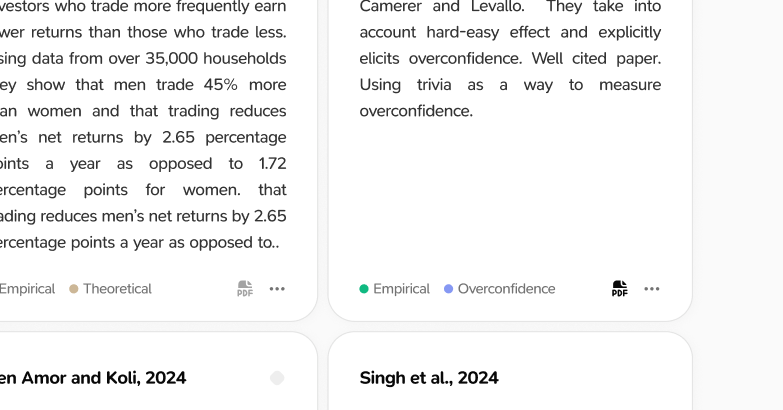
PDF indicators: Reference cards now display a clear indicator if they have a PDF attached.
-
Update notifications: You'll see a helpful update modal after each app update to keep you informed.
-
Duplicate protection: We've added a check to prevent adding the same reference twice.
-
Smoother PDF zoom: Navigating and zooming in PDFs is now much more fluid.
-
Zotero setup: We've clarified the instructions for linking your Zotero account.
-
Fixed an issue where PDFs sometimes wouldn't open correctly.
-
Resolved several navigation bugs for a smoother experience.
-
Squashed various minor frontend errors.